Cluster Models
Clustering is the task of dividing the main contact group or data points into a number of groups so that data points in the same groups are more similar to other data points in the same group than those in other groups. In simple words, the aim is to segregate groups with similar traits and assign them into clusters.
Cluster models will then allow the user to select groups of contacts for analysis or campaign purposes that have been identified within the clusters produced inside the model.
Design View
-
Analysis Table - the contact or person level of the database at which the model is being produced
-
Modeling Method - this is the algorithm and method to be used for the cluster model
-
Variables - this area is used to add the variables for use within the model, clusters will be based on the values of these variables. It is often advised to use clean data variables with reliable values that will be valuable to the quality of the model
-
Model Query - this optional query is used for specifying the contact data set for which the model should be based upon. This can contain a sample query for models to apply to the entire contact table and then removed once tested.
Once the model design is complete, the training process runs through the cluster evaluation process.
Evaluation Process
Evaluation of a cluster model takes the selected variables and uses a subset of the data to try to fit the variable against a range of clusters. Once the evaluation has been performed, an elbow chart is generated to display how much more successfully each additional cluster fit the variables that have been evaluated.
A good indicator of how many clusters users to generate is the data point at which the line ceases to drop.
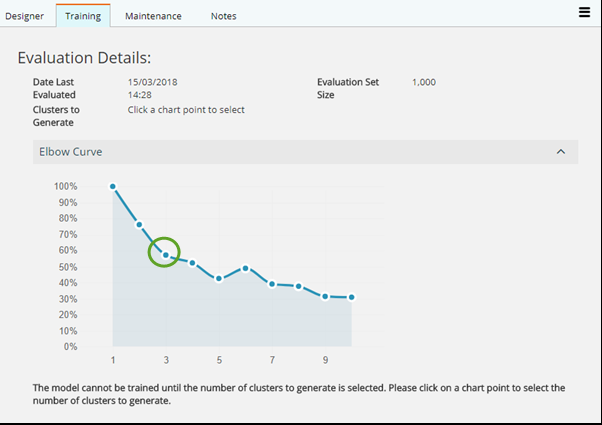
Once the data point is selected, indicating as above that the user requires 3 clusters to be generated, the Training process can be started.
Training Process
The Training process takes the selected variables and the desired number of clusters then tries to find the best method of fitting all those variables in a cluster. Once training has been performed, the cluster definitions are saved into the model. The model Training details are displayed on completion, as shown below.
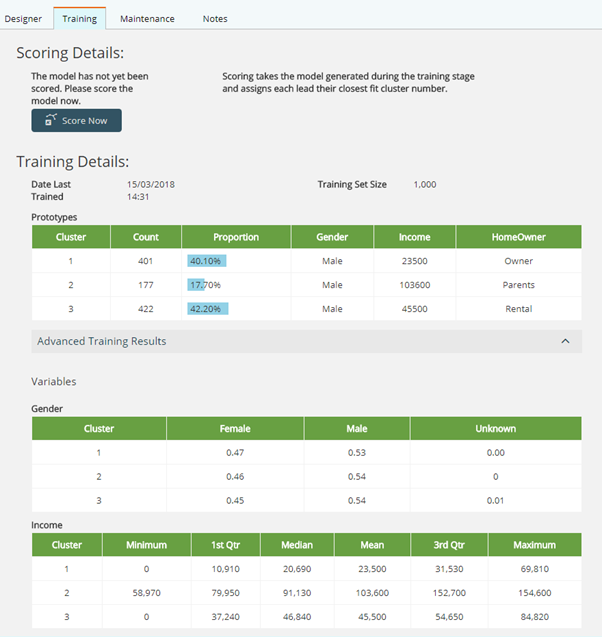
There isn't a rating system applied to Cluster models, as a cluster cannot be proven as better than another, it represents a different correlation to other data variables used and matched within other clusters.
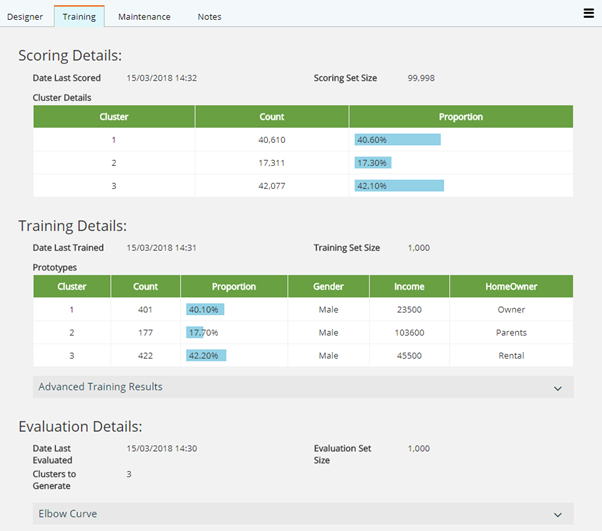
Each cluster number (1-3) is recorded against every corresponding record in the source data table as a new value. The trained model must be scored to record the clusters information.
Scoring a Model
To score a model design, select the Score Model button from the screen as shown above, which will produce the Score information below but will also write the cluster values to the database.
Scheduled Training & Scoring
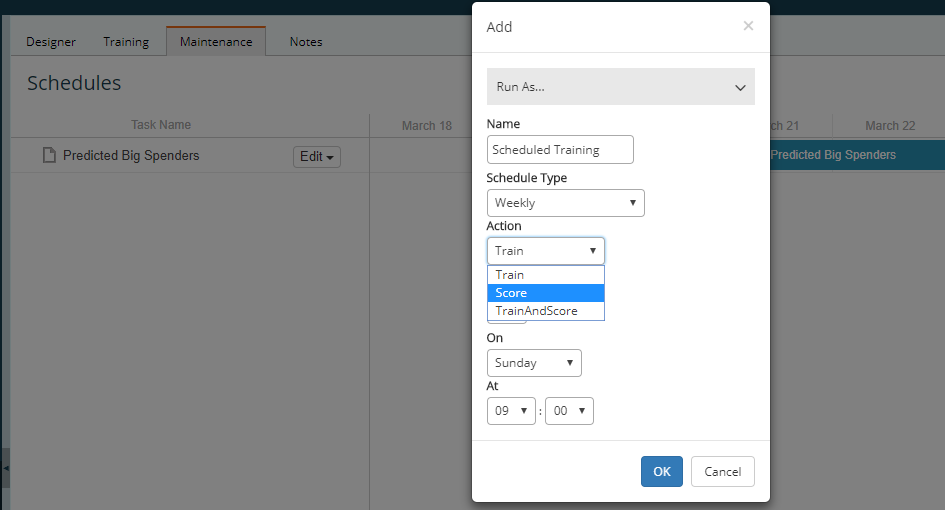
There are situations where a model may be applied to an extremely large set of data, and the process to train and score the model can be very intensive on the server resources available to Engage. For this reason, there is an option schedule the Training and Scoring of models under the Maintenance tab.